The Browser Built for Web Developers
Auto-clear cookies, localStorage, and cache on close. Built-in API tester, SEO audit, accessibility scanner, and AES-256 encrypted passwords.
DevWipe
DevTools
Auto-clear cookies, localStorage, and cache on close. Built-in API tester, SEO audit, accessibility scanner, and AES-256 encrypted passwords.
Automatically wipe cookies, localStorage, and cache whenever you close the browser. Your privacy, always protected.
Passwords and history survive restarts with AES-256 encryption. Only what you want to keep, securely protected.
All panels included: Elements, Console, Sources, Network, Performance, Application, and more. Everything you need.
Network logger, Cookie inspector, Storage manager, and Quick Console. Development utilities built right in.
Switch between Google, DuckDuckGo, Brave Search, and more. Choose your preferred search provider.
Test as desktop browsers, mobile devices, and search engine bots. Instantly switch user agents for cross-browser testing.
Test layouts on iPhone, iPad, Android, and custom screen sizes. Preview responsive designs instantly.
Run JavaScript directly in the browser. Test snippets and debug in real-time without opening DevTools.
Everything has a shortcut. Work faster with keyboard-driven navigation and quick commands.
Cmd+Shift+Delete to instantly wipe all browsing data except passwords. Quick privacy reset when you need it.
Powerful tools built directly into the browser. No extensions or external software needed.
Send GET, POST, PUT, PATCH, DELETE requests with custom headers, body, and query params. See color-coded responses with pretty JSON formatting. No extensions needed.
One-click analysis of meta tags, headings (H1-H6), Open Graph, Twitter Cards, Schema.org JSON-LD, image alt texts, canonical URLs, and SEO score out of 100.
WCAG 2.1 Level A & AA compliance checker. Finds missing alt text, form labels, heading hierarchy issues, ARIA gaps, and landmark regions. Scores your page.
Track TTFB, DOM load, total transfer size, resource counts, and DOM complexity. Alerts when metrics exceed your budget thresholds. Rates pages FAST/MODERATE/SLOW.
Pick colors directly from any page. Check WCAG contrast ratios (AA/AAA). Extract full page color palette with text, background, and border colors.
Visual overlay that highlights all Grid and Flexbox containers on any page. Cyan outlines for Grid, orange for Flex. Toggle on/off instantly.
Quick tutorials showing DevWipe's most powerful built-in features
Send HTTP requests, inspect responses, and debug APIs directly from the browser. No need to switch between tools or install extensions.
Analyze any website's SEO health instantly. Check meta tags, Open Graph, headings, image alt text, and Schema.org data.
Check WCAG compliance, find missing alt text, broken label associations, heading hierarchy issues, and ARIA gaps.
Monitor TTFB, page load times, transfer sizes, DOM complexity, and third-party request counts against your budgets.
Toggle visual overlays to see all Grid and Flexbox containers on any page. Cyan for Grid, orange for Flex.
DevWipe detects login forms automatically and saves credentials with AES-256 encryption. Works across all websites.
Professional developer browser with a clean, modern interface
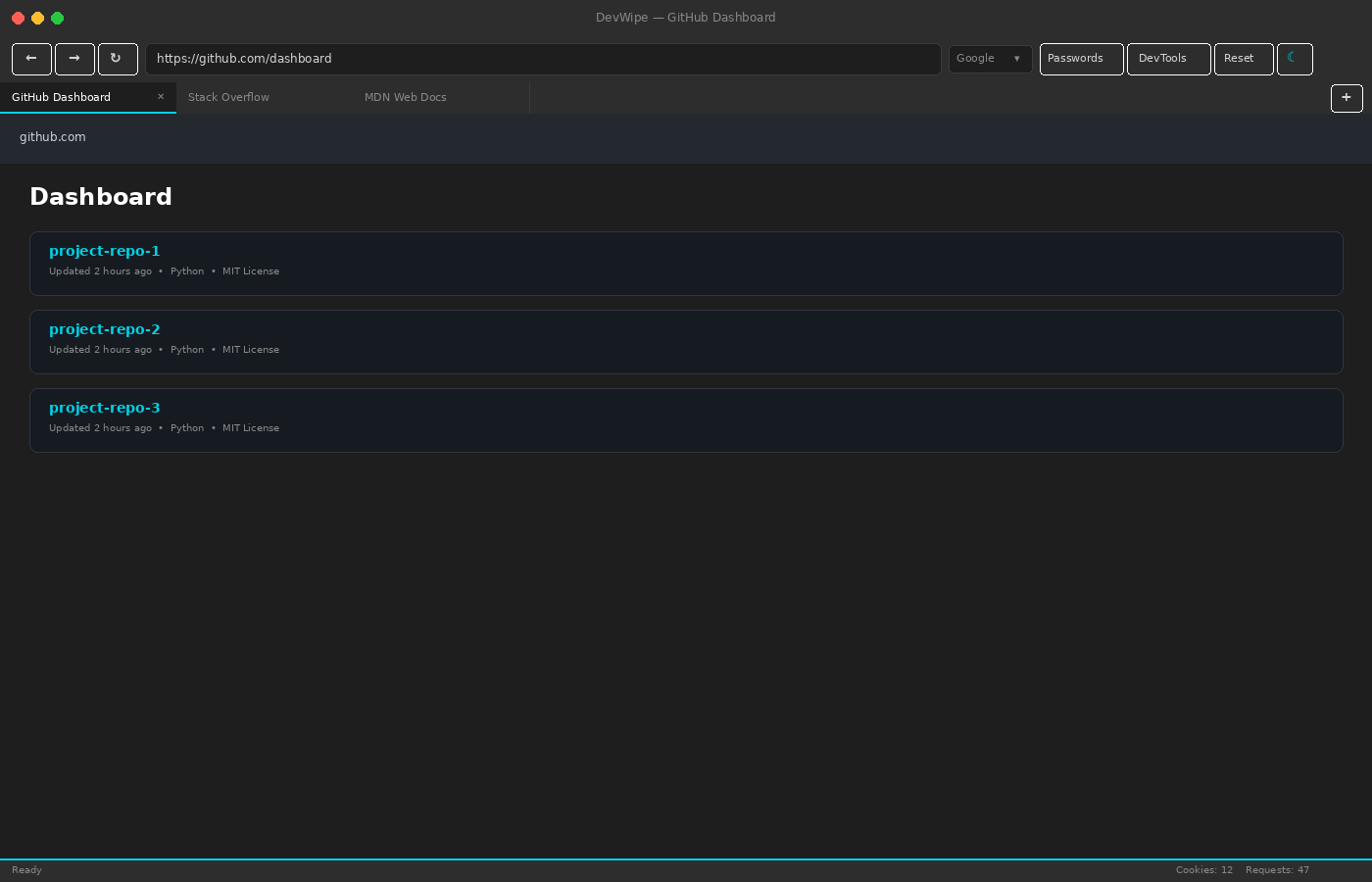
Professional navigation bar with tabbed browsing, search engine selector, and quick-access developer tools.
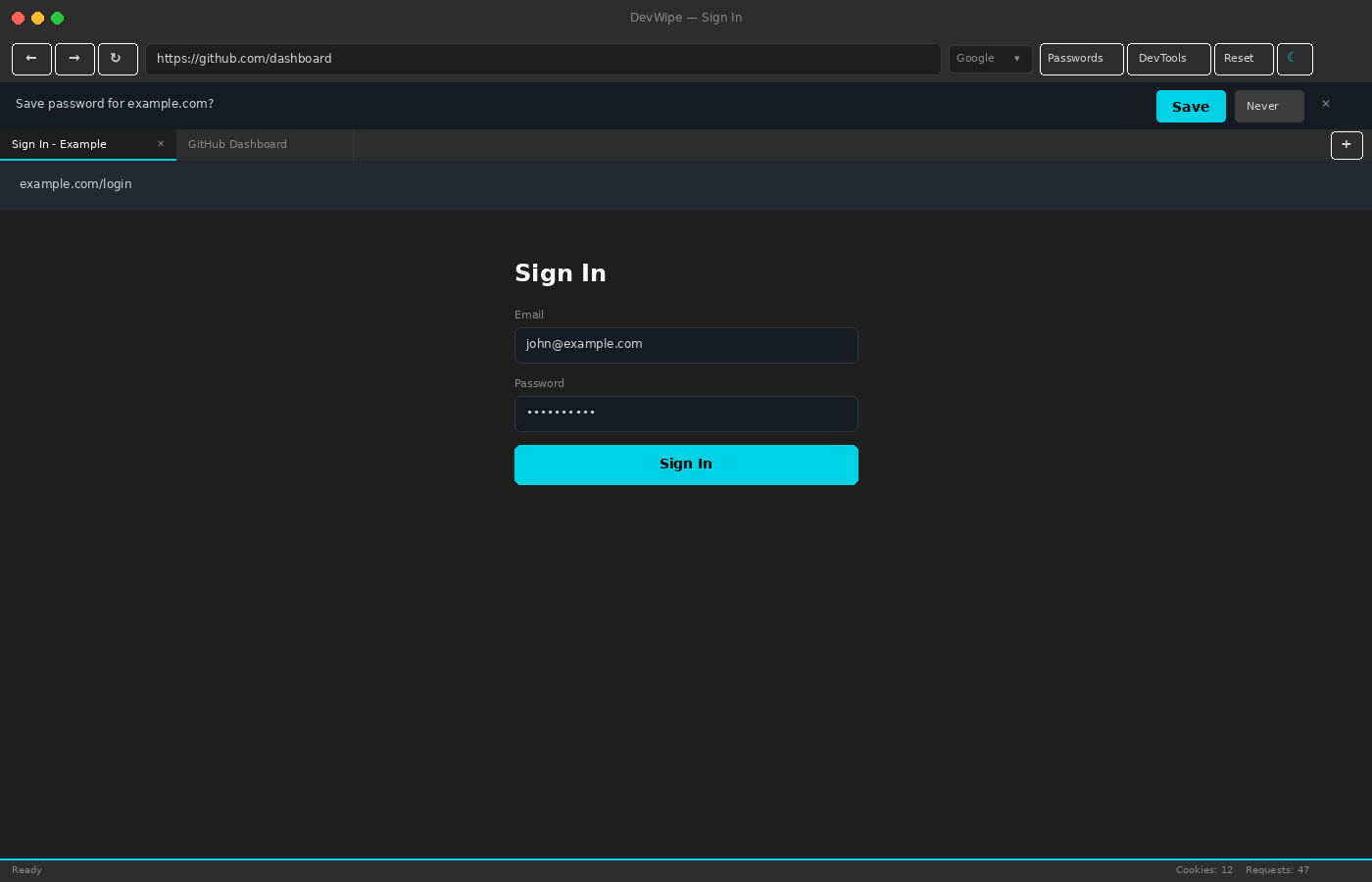
Automatically detects login forms and prompts to save credentials with AES-256 encryption.
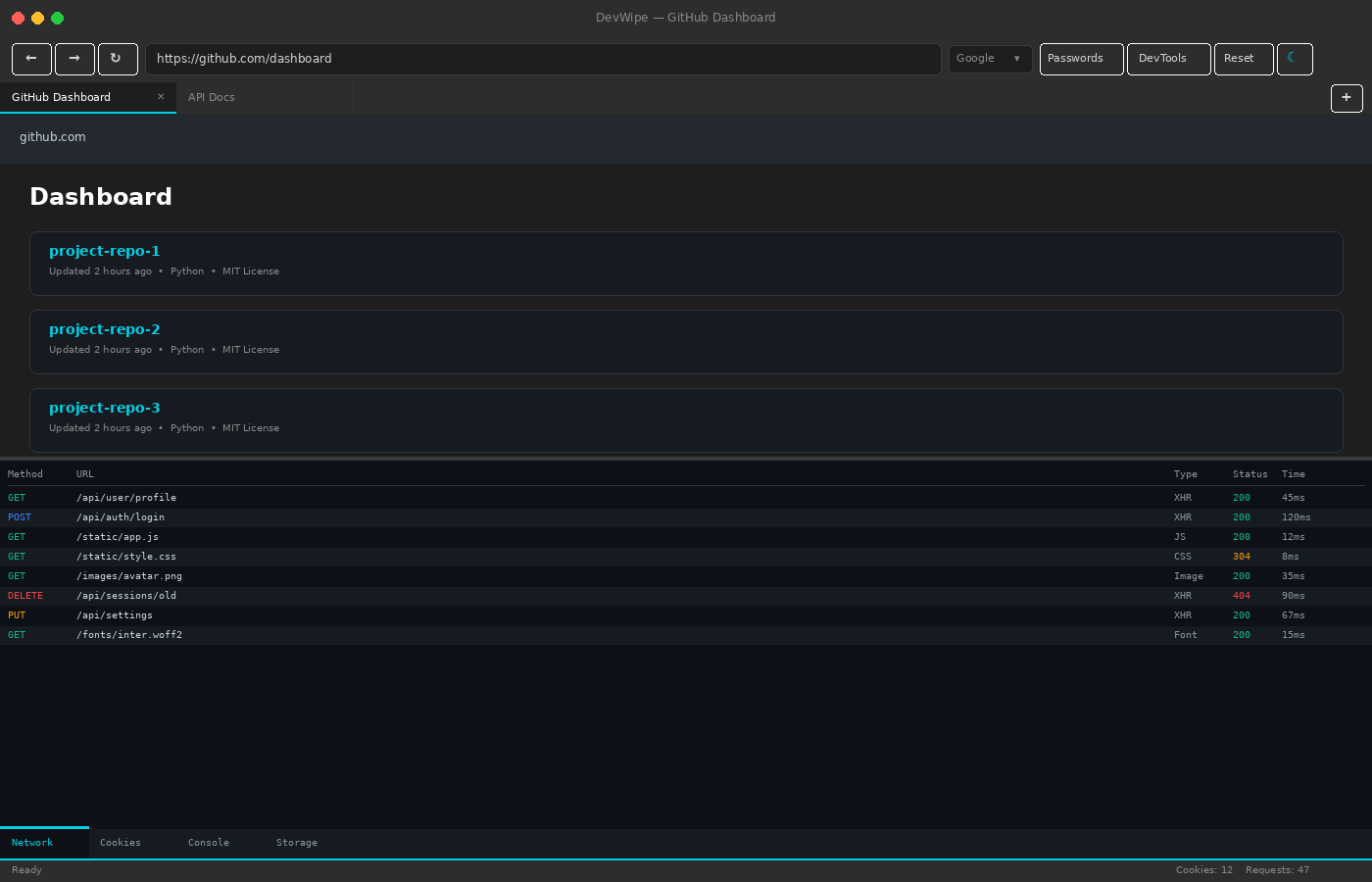
Terminal-style Network Logger, Cookie Inspector, Console, and Storage Viewer with color-coded output.
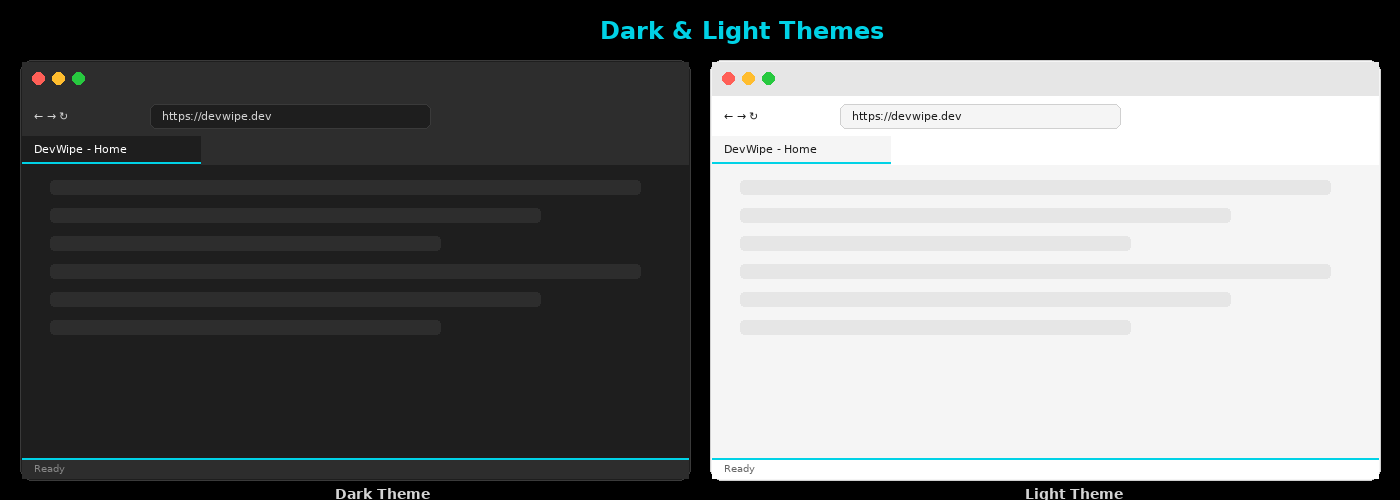
Switch between dark and light modes with a single click. Your preference is saved automatically.
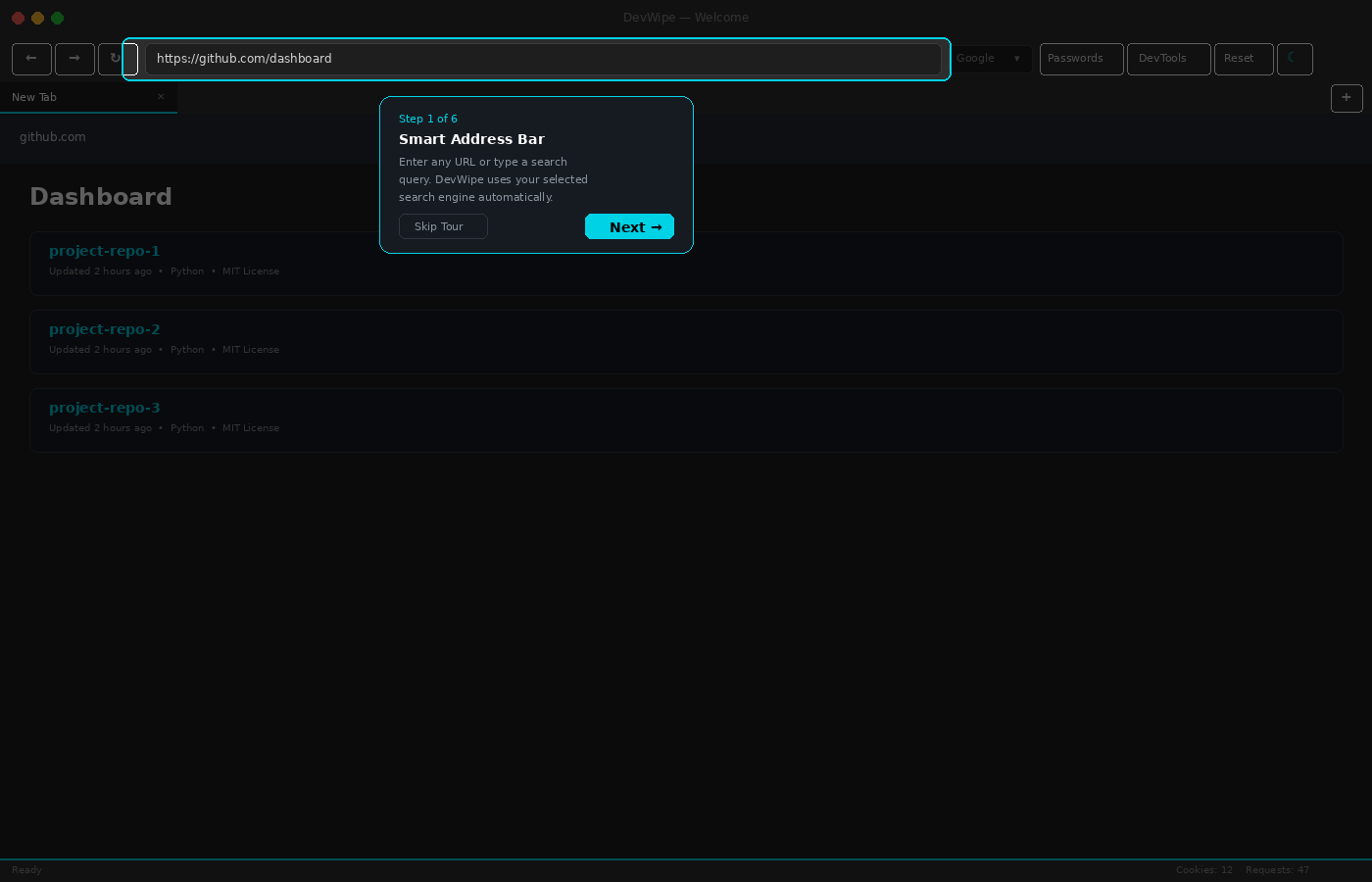
First-time users get a step-by-step walkthrough highlighting all key features and shortcuts.
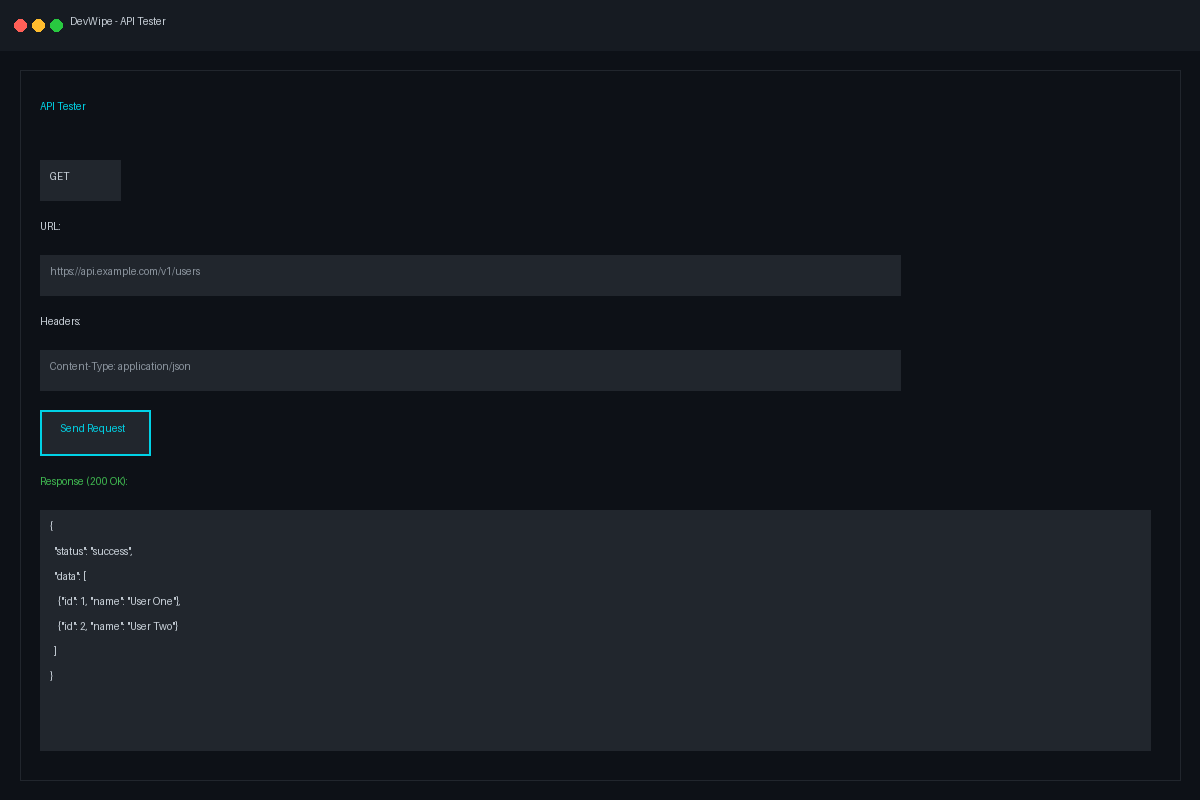
Send HTTP requests with custom headers and body. Color-coded status, response headers, and pretty-printed JSON.
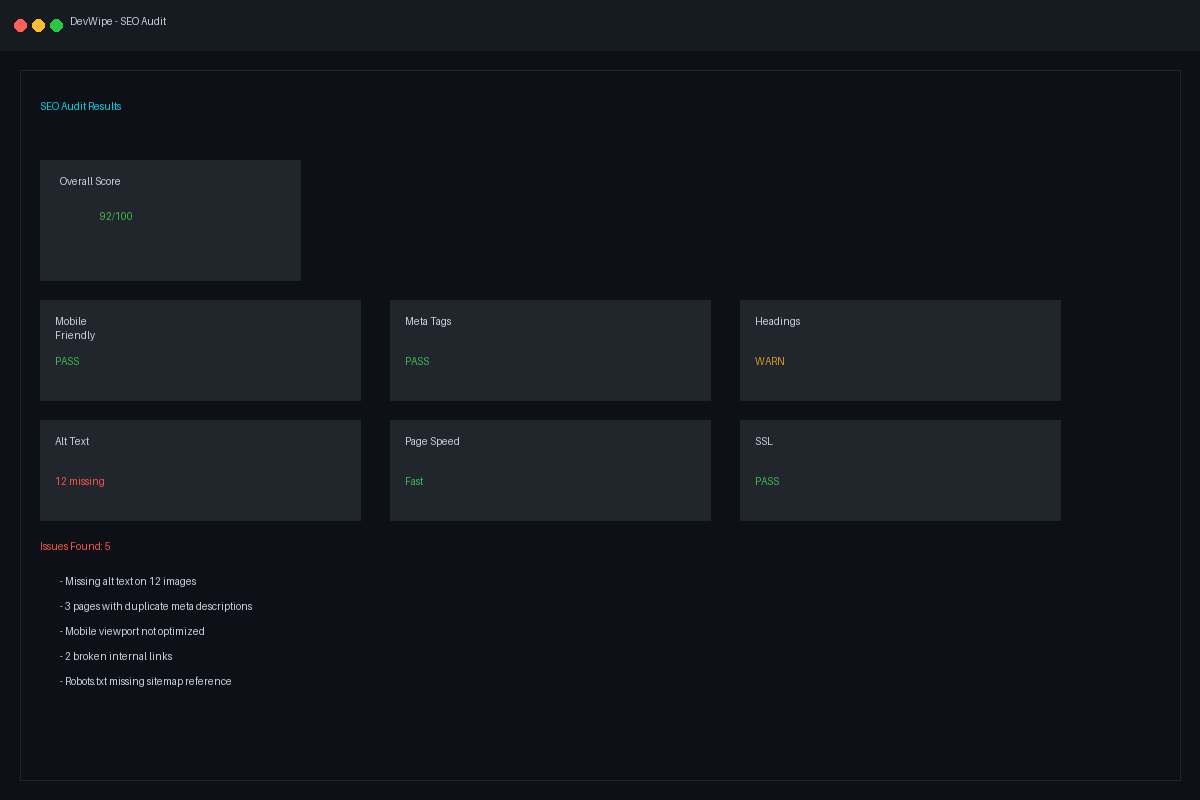
Complete SEO analysis with issues, warnings, passes, and a score out of 100.
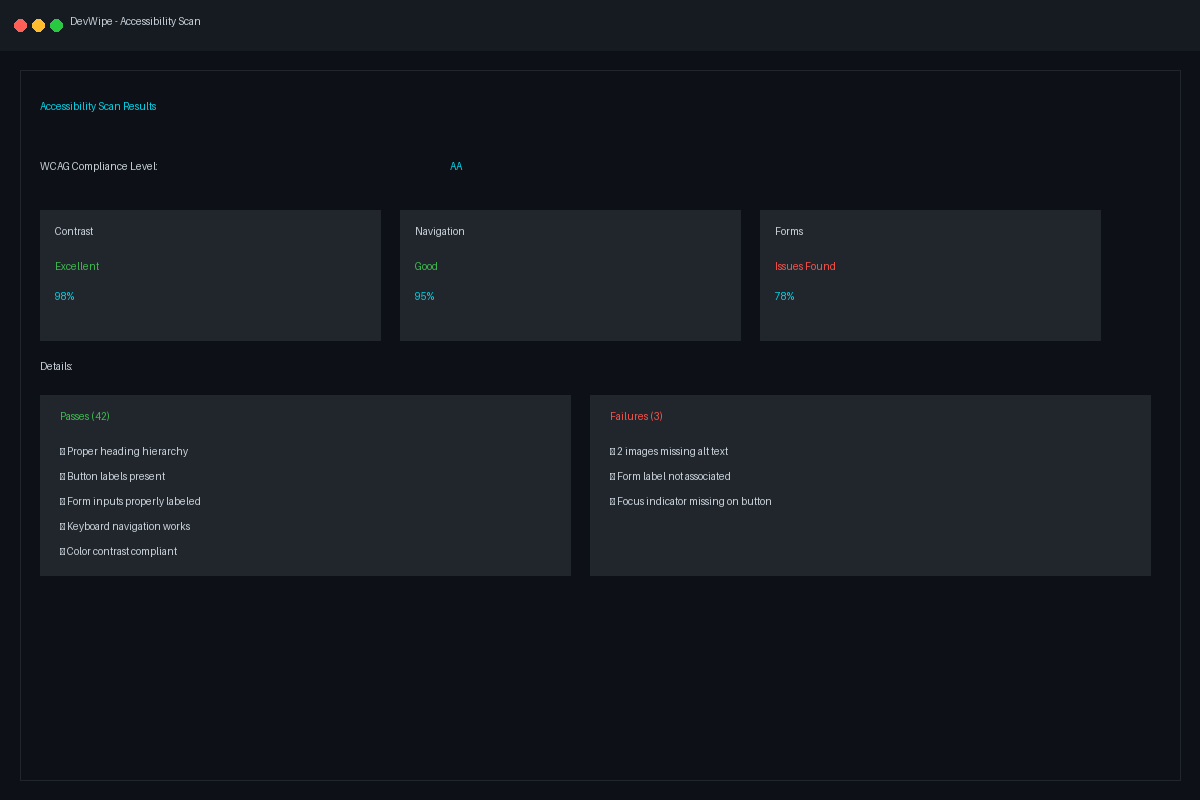
WCAG 2.1 compliance checker for alt text, form labels, heading hierarchy, ARIA, and landmarks.
Available for macOS and Windows. Free, no ads, no tracking. Linux version coming soon.
macOS: .dmg — drag to Applications | Windows: .exe setup wizard
macOS 10.14+ (Intel & Apple Silicon) | Windows 7, 8, 8.1, 10 & 11 (32-bit & 64-bit)
Master DevWipe with these essential shortcuts
Built with modern, reliable technology
Built on Chromium 120+, leveraging the latest web platform features and compatibility.
Cross-platform desktop application framework for a native look and feel on macOS and Windows.
Lightweight, reliable local database for storing history and browser data efficiently.
Military-grade encryption using Fernet for passwords and sensitive browsing data.
Isolated processes for tabs, extensions, and plugins for stability and security.
Every feature designed with developers in mind. Fast, keyboard-driven, and productive.
DevWipe is a free, Chromium-based web browser designed specifically for web developers. It includes built-in tools like an API tester, SEO audit tool, WCAG accessibility scanner, performance budget tracker, color picker with contrast checker, and CSS Grid/Flex debugger. It also features AES-256 encrypted password management and automatic clearing of cookies and cache when you close the browser.
Yes, DevWipe is completely free to download and use. There are no premium tiers, subscriptions, or hidden costs. All features including the API tester, SEO audit, accessibility scanner, and encrypted password manager are available at no charge.
DevWipe is available for macOS (Intel and Apple Silicon) and Windows (7, 8, 8.1, 10, and 11). A Linux version is coming soon. macOS requires 10.14 (Mojave) or later. Windows supports both 32-bit and 64-bit systems.
DevWipe automatically clears all cookies, localStorage, and cache data every time you close the browser. Your saved passwords and browsing history are encrypted with AES-256 military-grade encryption and stored locally on your device. You can also manually clear all data (except passwords) at any time.
DevWipe includes six advanced built-in tools: API Tester for sending HTTP requests with custom headers and body, one-click SEO Audit tool that scores pages out of 100, WCAG 2.1 Accessibility Scanner, Performance Budget Tracker with TTFB and load time analysis, Color Picker with WCAG contrast ratio checker, and CSS Grid/Flexbox visual debugger.
Yes, DevWipe includes a full DevTools suite with Elements, Console, Sources, Network, Performance, and Application panels accessible via F12. Additionally, it has its own built-in developer panels including a Network Logger, Cookie Inspector, Console, and Storage Viewer with a terminal-style interface.